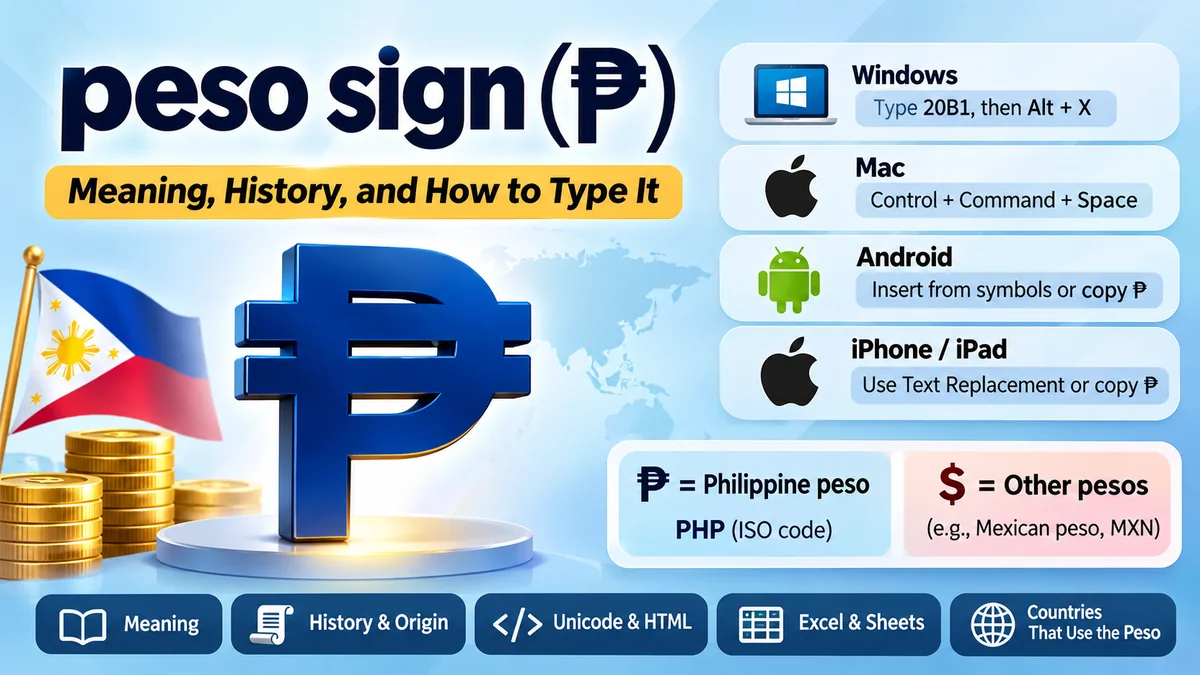
The peso sign can be confusing because different countries use different symbols for currencies called the peso. If you have seen ₱ on a Philippine price tag or $ next to an amount in Mexico, you may wonder why both refer to pesos.
The peso sign (₱) is the official currency symbol for the Philippine peso (PHP). It resembles a capital P with two horizontal strokes. Other peso currencies, including the Mexican peso, commonly use the dollar sign ($), often with a country prefix to avoid confusion. The symbol used depends on the country and currency.
Understanding these distinctions helps when reading international prices, preparing financial documents, typing currency amounts, or converting money between countries.
What Is the peso sign?
The peso sign is a currency symbol used to represent monetary amounts denominated in pesos. The word peso comes from Spanish and means “weight,” reflecting the historical relationship between currency and precious metals.
The Philippine peso uses the distinctive symbol ₱. In international banking, accounting, and foreign exchange systems, it is identified by the three-letter currency code PHP.
For example:
- ₱100 means 100 Philippine pesos.
- ₱1,500 means 1,500 Philippine pesos.
- PHP 2,000 identifies 2,000 Philippine pesos using the international currency code.
- MXN 500 identifies 500 Mexican pesos.
Although the currencies share a name, they are issued by different monetary authorities and have different exchange rates.
Philippine peso symbol vs. Mexican peso symbol
| Feature | Philippine peso | Mexican peso |
|---|---|---|
| Common symbol | ₱ | $ |
| ISO currency code | PHP | MXN |
| Country | Philippines | Mexico |
| Central bank | Bangko Sentral ng Pilipinas | Banco de México |
| Example | ₱500 | $500 MXN |
| Currency subdivision | 100 centavos | 100 centavos |
The $ symbol is not exclusive to the United States dollar. It is also used by several peso-denominated currencies.
How to Copy and Paste the peso sign
PHILIPPINE PESO SYMBOL
₱
Copy symbol
Unicode: U+20B1 · HTML: ₱
The easiest way to insert the Philippine peso symbol into a document, email, spreadsheet, or social media post is to copy it and paste it wherever needed.
Once copied, the character can be used in Microsoft Word, Google Docs, Excel, web forms, and most modern applications supporting Unicode.
For clear formatting, place the symbol before the amount:
- ₱50
- ₱250.75
- ₱1,000
- ₱25,000.00
In ordinary Philippine price notation, the symbol typically appears immediately before the number without a space.
How to Type the peso sign on a Keyboard
The Philippine peso symbol is not available as a dedicated key on most standard English-language keyboards. However, Windows, macOS, smartphones, and other devices offer ways to insert it.
How to type the peso sign on Windows
One reliable method uses Microsoft Word’s Unicode conversion feature.
- Open Microsoft Word.
- Position the cursor where the symbol should appear.
- Type
20B1. - Press
Alt + X. - Word converts the code into ₱.
This method works in Microsoft Word and some other applications supporting the same Unicode conversion feature. It is not a universal Windows keyboard shortcut.
Another option is Character Map:
- Open the Windows Start menu.
- Search for Character Map.
- Select a font that contains the Philippine peso symbol.
- Locate and select ₱.
- Choose Copy and paste it into your document.
You can also use the Windows symbol panel, although the available characters and categories depend on the Windows version.
How to type the peso sign on Mac
On macOS, the Character Viewer provides a convenient method.
- Open the application where you want to type.
- Press
Control + Command + Spaceto open Character Viewer. - Search for “peso” or “Philippine peso.”
- Select the ₱ character to insert it.
If the shortcut does not open Character Viewer, you can access the viewer through the application’s Edit menu, where supported.
For frequent use, macOS text replacement settings can turn a custom abbreviation into the symbol automatically.
How to type the peso sign on Android
Android keyboards vary by manufacturer and keyboard application.
Open the keyboard’s symbols or currency section and look for ₱. Some keyboard layouts display additional currency characters when you press and hold a currency key.
If the character is unavailable, copy ₱ from this article and paste it into the required field.
For frequent typing, you can configure a personal dictionary shortcut in supported keyboard applications, such as Gboard.
How to type the peso sign on iPhone or iPad
The iPhone keyboard does not always display the Philippine peso symbol directly, especially when using an English keyboard layout.
You can insert it using copy and paste or configure a text replacement:
- Open Settings.
- Go to General → Keyboard → Text Replacement.
- Tap the plus icon.
- Enter ₱ in the Phrase field.
- Enter a shortcut such as
phpeso. - Save the replacement.
When you type the shortcut, iOS can suggest or replace it with the peso symbol.
This approach is especially useful for people who frequently prepare Philippine invoices, price lists, or payment messages.
The History and Origin of the peso sign
The history of the peso is closely connected to Spanish colonial currency and international silver trade.
During the Spanish colonial period, silver coins circulated across the Americas and Asia. One particularly influential coin was the Spanish eight-real piece, commonly known as the Spanish dollar or piece of eight.
The peso became an established monetary unit in several territories historically associated with Spain. Over time, independent countries developed their own peso currencies, monetary systems, and currency symbols.
Why does the Philippine peso use ₱?
The Philippine peso symbol is a stylized capital P crossed by two horizontal lines. Its appearance distinguishes it from the plain letter P and from the dollar sign.
The Philippines adopted a distinct currency identity while retaining the historical name peso.
Today, the Bangko Sentral ng Pilipinas (BSP) is the country’s central bank and the institution responsible for issuing Philippine currency.
The peso is divided into 100 centavos, although the practical use of low-denomination coins varies.
Why do some peso currencies use the dollar sign?
The dollar and peso share important historical connections through Spanish silver coinage.
The $ symbol was associated with Spanish-American monetary systems before becoming widely identified with the US dollar.
Its precise graphical origin remains debated, but the connection between the Spanish peso and later dollar currencies is well documented.
Countries such as Mexico, Argentina, Chile, and Colombia commonly use $ in domestic currency notation.
That does not mean their currencies have the same value or are interchangeable.
peso sign vs. Dollar Sign: What Is the Difference?
₱
Philippine pesoPHP · Unicode U+20B1
$
Dollar / other pesosUsed by USD, MXN and others
The Philippine peso symbol ₱ and the dollar sign $ have different shapes and currency associations.
The ₱ symbol is based on the letter P, while the $ symbol is based on an S-like form crossed by one or two vertical strokes.
A key difference is specificity. The symbol ₱ identifies Philippine pesos, whereas $ is shared by numerous currencies.
For example, “$100” might mean US dollars, Mexican pesos, Argentine pesos, or another currency depending on context.
By contrast, “₱100” clearly refers to Philippine pesos.
Is ₱ the same as PHP?
Not exactly. They refer to the same currency but serve different purposes.
- ₱ is the graphical currency symbol.
- PHP is the international three-letter currency code.
- Philippine peso is the currency’s name.
PHP follows the ISO 4217 currency coding standard, which provides standardized identifiers for currencies used in international financial systems.
In everyday writing, ₱ is convenient and recognizable. In cross-border transactions, PHP is generally clearer because it is standardized.
Unicode and HTML Codes for the peso sign
The Philippine peso sign is included in the Unicode Standard, which allows computers and digital platforms to represent the same character consistently.
Its official Unicode name is PESO SIGN, and its code point is U+20B1. It was introduced in Unicode 3.2 in 2002. Unicode 18.0.0+1
| Format | Value |
|---|---|
| Character | ₱ |
| Unicode | U+20B1 |
| Decimal code | 8369 |
| HTML decimal | ₱ |
| HTML hexadecimal | ₱ |
| JavaScript | \u20B1 |
| CSS escape | \20B1 |
| UTF-8 hexadecimal bytes | E2 82 B1 |
These representations are useful for developers, website administrators, and anyone working with international text.
How to add the peso sign in HTML
In an HTML document, you can insert the peso symbol directly or use its numeric character reference.
<p>Price: ₱1,250</p>
<p>Price: ₱1,250</p>
<p>Price: ₱1,250</p>All three examples display the same symbol in a browser that supports the character.
For modern websites, UTF-8 encoding is recommended. Include the following declaration in the HTML head:
<meta charset="UTF-8">This helps browsers interpret currency symbols and other international characters correctly.
How to use the peso sign in CSS and JavaScript
Web developers can also generate the symbol programmatically.
For CSS:
.price::before {
  content: "\20B1";
}
For JavaScript:
const pesoSymbol = "\u20B1";
const price = 1500;

console.log(`${pesoSymbol}${price}`);
The output is:
₱1500For applications that display prices in multiple currencies, using an internationalization library is usually preferable to manually adding symbols.
For example:
const amount = 1500;

const formatted = new Intl.NumberFormat("en-PH", {
  style: "currency",
  currency: "PHP"
}).format(amount);

console.log(formatted);
The output depends on the runtime’s locale data, but it represents the amount using Philippine currency formatting.
How to Use the peso sign in Excel and Google Sheets
Spreadsheet applications support the peso sign in both text entries and number formatting.
For financial calculations, using a numeric cell with currency formatting is generally better than typing the symbol into the cell as ordinary text.
Insert the peso sign in Microsoft Excel
To insert the character directly, select a cell, open Insert → Symbol, and locate the peso sign.
You can also use Excel’s Unicode function:
=UNICHAR(8369)To combine the symbol with an amount:
=UNICHAR(8369)&TEXT(A1,"#,##0.00")If cell A1 contains 2500, the formula displays:
₱2,500.00
However, this formula returns text rather than a numeric value.
If you need to calculate totals, averages, or taxes, keep the underlying values numeric and apply an appropriate currency format.
Format Philippine peso amounts in Google Sheets
Google Sheets supports currency formatting through its number-formatting settings.
Select the relevant cells, open Format → Number, and choose an appropriate currency format or custom currency option.
If you want to display the symbol without changing the underlying value, a custom number format can be useful:
"₱"#,##0.00This displays numbers with the peso symbol and two decimal places while preserving their numeric values.
The exact formatting controls may vary depending on spreadsheet locale and application version.
Countries That Use the Peso Currency
The peso is not exclusive to the Philippines. Several countries use currencies with the same name, reflecting their shared monetary history.
| Country | Currency | ISO code | Common symbol |
|---|---|---|---|
| Philippines | Philippine peso | PHP | ₱ |
| Mexico | Mexican peso | MXN | $ |
| Argentina | Argentine peso | ARS | $ |
| Chile | Chilean peso | CLP | $ |
| Colombia | Colombian peso | COP | $ |
| Dominican Republic | Dominican peso | DOP | RD$ |
| Uruguay | Uruguayan peso | UYU | $U |
| Cuba | Cuban peso | CUP | $ |
The Unicode Standard explicitly distinguishes the Philippine peso symbol from the dollar sign used by several Latin American peso currencies. Unicode 18.0.0
Why are peso exchange rates different?
Currencies with the same name do not necessarily share a monetary value.
Each peso currency operates within its country’s economic and monetary system. Its exchange rate depends on factors such as inflation, interest rates, international trade, monetary policy, and foreign exchange demand.
For example, 1 Philippine peso is not equivalent to 1 Mexican peso.
When comparing prices internationally, use the relevant ISO currency codes and a current exchange rate rather than assuming that identical currency names indicate equal values.
Common Mistakes When Using the peso sign
Several mistakes can cause confusion in documents, websites, and financial records.
Confusing ₱ with ₧
The symbols ₱ and ₧ look similar but represent different currencies.
- ₱ is the Philippine peso sign.
- ₧ is the historical Spanish peseta sign.
The Spanish peseta was replaced by the euro as Spain transitioned to the euro currency system.
The characters also have different Unicode code points: U+20B1 for the peso sign and U+20A7 for the peseta sign.
Using $ without identifying the currency
A price written as $500 can be ambiguous in international communication.
If the amount refers to Mexican pesos, writing MXN 500 or MX$500 makes the meaning clearer.
Similarly, PHP 500 or ₱500 identifies a Philippine peso amount.
For international invoices and financial reports, ISO currency codes help prevent misunderstandings.
Using the letter P instead of ₱
In informal Philippine price lists, you may encounter amounts written as P100 or PHP 100.
Although a plain P can be understood from context, it is not the same Unicode character as ₱.
Use the proper symbol for professional documents whenever possible, especially when consistency and visual clarity matter.
Treating currency-formatted numbers as text
Typing ₱1000 into a spreadsheet may cause the entry to be interpreted as text, depending on the cell’s locale and formatting.
This can interfere with calculations.
For accounting and financial analysis, enter the numeric amount first and then apply the correct currency format.
When Should You Use ₱ Instead of PHP?
Both ₱ and PHP are correct ways to identify Philippine currency, but the appropriate choice depends on context.
Use ₱ for everyday price displays, retail labels, menus, advertisements, and local financial documents.
Use PHP when currency identification must be explicit, particularly in international banking, foreign exchange reporting, cross-border invoices, and financial databases.
For example:
- A restaurant menu in Manila may display ₱350.
- An international invoice may specify PHP 350.00.
- A currency conversion platform may display PHP/USD to identify the exchange-rate pair.
Neither notation changes the monetary amount. The difference is how the currency is represented.
Final Thoughts on the peso sign
The peso sign (₱) represents the Philippine peso and is distinct from the dollar sign used by many other peso currencies. Its Unicode value is U+20B1, making it compatible with modern websites, documents, spreadsheets, and digital applications.
For everyday typing, copying ₱ is the simplest option. Microsoft Word users can type 20B1 followed by Alt + X, while Mac and mobile users can insert the symbol through character selection or text replacement.
When working with international prices, use PHP, MXN, or another appropriate ISO currency code whenever the country or currency might otherwise be unclear.