You land, you turn on your phone, and there’s no signal. No maps, no ride-hailing app, no way to tell your hotel you’re running late. A travel eSIM fixes that before you even board the plane.
A travel eSIM is a digital SIM card you install on your phone before or during a trip, giving you mobile data in a new country without swapping a physical card. You buy a plan through an app or website, scan a QR code, and you’re online the moment you land — often for less than what a single day of roaming would cost on your home carrier.
That sounds simple, and it mostly is. But after comparing how providers like Airalo, Holafly, Saily, Nomad, and Jetpac actually perform on real trips — not just in their own marketing — a few things separate a smooth setup from a frustrating one. This guide walks through what a travel eSIM actually does, how to pick a plan that fits your trip, and what to do when something goes wrong.
What Is a Travel eSIM (and Why It Beats a Physical SIM)
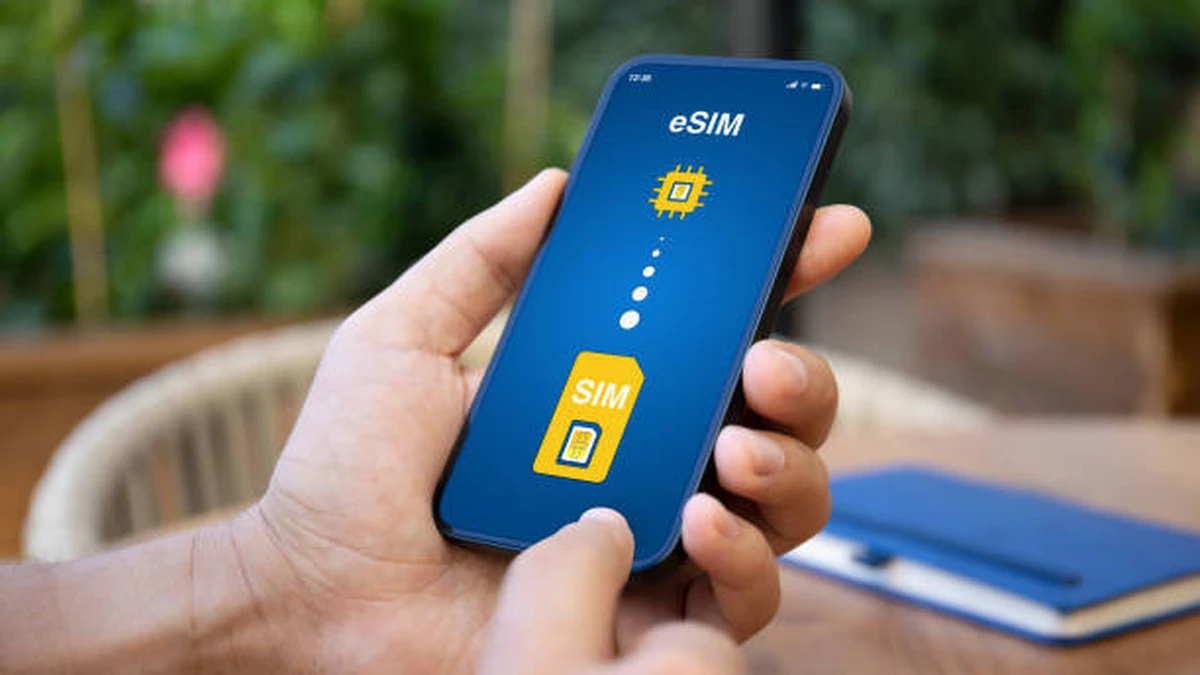
An eSIM is built into your phone’s hardware rather than a removable chip. Instead of hunting for a SIM tray tool at the airport, you install a data profile digitally — usually through a QR code — and switch it on when you land.
The bigger advantage over a physical SIM card isn’t really the convenience, though that helps. It’s that you don’t lose your home number in the process. Most phones support dual SIM, meaning your regular SIM keeps handling calls and texts on your usual number while the eSIM handles data. You can bank, message family, and use two-factor authentication codes exactly as you would at home, with a second, separate data connection running in parallel.
That combination — home number reachable, foreign data flowing — is the actual reason eSIMs have replaced physical travel SIM cards for most people in the last few years.
Quick takeaway: an eSIM isn’t a replacement for your phone number. It’s a second, data-only line that runs alongside it.
Is Your Phone eSIM Compatible?
Not every phone supports eSIM, and not every carrier has it unlocked, so check before you buy a plan.
iPhone
Go to Settings > Cellular (or Mobile Data) > Add eSIM. If that option exists, your device supports it — this covers iPhone XS and newer, though carrier-locked phones may need to be unlocked first.
Android
Go to Settings > Connections > SIM Manager and look for an “Add eSIM” or “Download a SIM” option. Support varies more across Android manufacturers than it does on iPhone, so if you don’t see the option, check your specific model against your provider’s compatibility list before purchasing.
Some eSIM providers offer a compatibility checker as part of their signup flow — use it. Buying a plan for a phone that can’t run it is the single most common (and most avoidable) mistake first-time eSIM buyers make.
How to Install and Activate a Travel eSIM
The process is close to identical across providers:
- Buy the plan through the provider’s app or website, choosing your destination and data amount.
- Get your QR code, delivered by email or shown in-app.
- Scan the QR code on your phone under the eSIM setup menu.
- Label the new line so you can tell it apart from your regular SIM.
- Turn on data roaming for the eSIM specifically — this is the step people miss most often, since it’s a separate toggle from your main SIM’s roaming setting.
- Wait for the network to activate, which is usually instant once you land, though some plans start counting from the moment of installation rather than first use, so check that detail before setting it up too early.
Installing before departure is generally safe and recommended, since it means you’re online the second you land rather than fumbling with settings from the arrivals hall.
How Much Data Do You Actually Need?
This is the part most guides skip, and it’s the difference between overpaying and running out mid-trip.
- Light user (maps, messaging, occasional browsing): around 1–3GB for a week.
- Moderate user (social media, some streaming, research, hotel bookings): 5GB covers most travelers for two to four weeks if you offload video and large uploads to hotel or café Wi-Fi.
- Heavy user (tethering a laptop, video calls, streaming on the move, remote work): 10GB or more, or an unlimited daily-allowance plan.
Providers price this differently. Per-GB plans reward light users who don’t want to pay for data they won’t use. Unlimited-per-day plans (Holafly’s model, for example) can work out cheaper for heavy users despite a higher headline price, because there’s no risk of a mid-trip top-up. Do the rough math against your expected daily usage before assuming “unlimited” is automatically the better deal — for a light user it usually isn’t.
Best Travel eSIM Providers Compared
No single provider wins on everything. Coverage, price structure, and support quality all trade off against each other, and the right pick depends on your trip.
| Provider | Best For | Pricing Model | Countries | Notable Trait |
|---|---|---|---|---|
| Airalo | First-time buyers, broad coverage | Per-GB, tiered | 200+ | Widest single-country availability, easy QR setup |
| Holafly | Heavy data users, long trips | Unlimited daily allowance | 200+ | No data anxiety, but pricier for light users |
| Saily (by NordVPN) | Security-conscious travelers | Per-GB and unlimited tiers | 190+ | Built-in ad blocker and virtual location tool |
| Nomad | Budget travelers in Europe/US | Per-GB, competitive pricing | 165+ | Frequently cheapest at 5–10GB tiers |
| aloSIM | Travelers wanting a callable number | Per-GB and monthly | 190+ | Optional international number via Hushed integration |
| Jetpac | Regional Asia/Europe trips | Fixed data bundles | 190+ | Strong network selection, pricing can be confusing |
| MobiMatter | Digital nomads needing tethering | Multiple network selection | 190+ | Automatically switches to strongest local carrier |
| SimLocal | Short single-country trips | Fixed GB plans | Selected countries | Good for budget-focused, simple trips |
Two patterns hold up across independent reviews: Airalo is the safest general-purpose default because of its coverage and low entry price, and Holafly is worth the premium specifically if you don’t want to think about a data cap at all. Everyone else earns their place for a narrower reason — Saily for privacy features, Nomad for price in specific regions, Jetpac and MobiMatter for network reliability in less-covered areas.
Travel eSIM vs Roaming vs Local SIM: Real Cost Math
Roaming through your home carrier is almost always the most expensive option, often charging per-MB rates that turn a week of normal phone use into a bill worth more than the flight. A local physical SIM bought after arrival is usually the cheapest option per gigabyte, but it costs you time at the airport, requires you to find a store, and typically means losing access to your home number unless your phone supports dual SIM (in which case, it’s functionally similar to an eSIM anyway, just physical).
A travel eSIM sits in the middle: closer to local-SIM pricing, without the setup delay or the risk of losing your number. For a one-week trip to a single country, the total cost gap between a local SIM and an eSIM is often just a few dollars — the eSIM wins mainly on time saved and instant activation, not price. For multi-country trips, the math shifts further in the eSIM’s favor, since one regional plan replaces several separate local SIM purchases.
Quick takeaway: eSIMs rarely win purely on price against a local SIM bought in-country — they win on convenience and multi-country flexibility.
Calls, Texts, and Staying Reachable Abroad
Most eSIM plans are data-only, which surprises first-time buyers. If you need to make and receive calls on a new number, check specifically for that feature — aloSIM’s Hushed integration and select plans from other providers add a callable number and SMS credits, but it’s an add-on, not a default.
The far more common setup, and generally the simpler one, is keeping your home SIM active for calls and texts (via dual SIM) while the eSIM handles data only. That way, family and urgent contacts can still reach you on the number they already have, and apps like WhatsApp or iMessage cover most day-to-day messaging over the eSIM’s data connection anyway.
If you specifically need a way for elderly parents or work contacts to reach you by an actual phone call while abroad, confirm voice support before buying — don’t assume a data eSIM includes it.
What to Do When Your eSIM Isn’t Working
Most eSIM problems come down to a handful of fixable issues:
- Restart your phone. As basic as it sounds, this resolves a large share of activation failures.
- Check that data roaming is switched on for the eSIM line specifically, not just your main SIM — this is a separate setting on both iPhone and Android.
- Confirm you’re within the plan’s coverage area. Regional plans sometimes exclude specific territories that seem like they should be included — a real example from provider reviews: some Caribbean-region plans cover only one side of an island that’s split between two countries.
- Check the activation window. Some plans start their validity countdown from the moment of installation, not first use, so an eSIM installed a week before departure may already be partway through its data period on arrival.
- Contact support before requesting a refund. Response quality varies a lot by provider, and being specific about your device model and location speeds things up considerably.
If none of that resolves it, most providers allow you to purchase a fresh plan as a backup, which is worth doing before you’re stranded without connectivity in an unfamiliar city.
Getting It Right Before You Fly
A travel eSIM is genuinely one of the easier travel-planning wins available right now — buy it before you leave, confirm your phone supports it, and you remove one entire category of travel stress. Match the data amount to how you actually use your phone rather than defaulting to “unlimited,” check whether you need voice minutes, and keep a backup plan ready in case coverage in a specific region turns out weaker than advertised. Do that, and connectivity stops being something you worry about on the trip.
For more practical travel planning tips, check out our collection of travel guides.
11. FAQ Section
Is an eSIM better than a physical SIM for travel?
For most travelers, yes. You skip the airport SIM-card hunt, keep your home number active via dual SIM, and can install the plan before you even leave, so you’re connected the moment you land.
Do I need to turn off my regular SIM when using a travel eSIM?
No. Most phones run both at once — your regular SIM for calls and texts, the eSIM for data — as long as dual SIM is supported on your device.
Can I make phone calls with a travel eSIM?
Usually not by default, since most travel eSIM plans are data-only. Some providers, like aloSIM, offer an add-on virtual number for calls and texts if you specifically need that.
What happens if my eSIM data runs out?
You can typically top up the same plan through the provider’s app, or buy a new plan outright. It won’t affect your regular SIM’s calls or texts.
Is one eSIM enough for a multi-country Europe trip?
Often yes — most major providers sell regional Europe plans covering dozens of countries on one line, which is usually cheaper and simpler than buying separate country-specific plans.
Can I install a travel eSIM before I travel?
Yes, and it’s recommended. Just check whether your plan’s validity starts at installation or at first use in-country, since that affects how early you should install it.
What phones support eSIM?
Most iPhones from the XS onward, and a growing but inconsistent range of Android phones (particularly recent Samsung, Google Pixel, and other flagship models). Always check your specific model before buying.
Why won’t my travel eSIM activate?
The most common causes are data roaming not being switched on for the eSIM line specifically, being outside the plan’s coverage area, or a phone restart being needed after installation.